Ask which SEO tools you need and you will usually hear „Ahrefs or Semrush” and a price starting at €100 a month. For most websites of up to a few hundred pages that is premature: the bulk of the work can be done with tools you do not have to pay for.
The best free SEO tools are Google Search Console, Google Analytics 4, Ahrefs Webmaster Tools, Screaming Frog (up to 500 URLs), PageSpeed Insights and Google Keyword Planner. These six are enough to measure traffic, find technical errors, see your own backlinks and pick keywords. You need a paid tool only when you want competitor data or daily tracking of hundreds of positions.
Below are 12 tools grouped by task, with the exact free-tier limits I checked in October 2026, the order in which to connect them in an hour, and a rule for when free stops being enough.
Which free SEO tools do you need, and for which task?
Choose a tool by task, not by popularity: SEO work splits into five parts (measurement, technical health, keywords, links and competitors, reporting), and for each there is a free tool that covers it fully or almost fully.
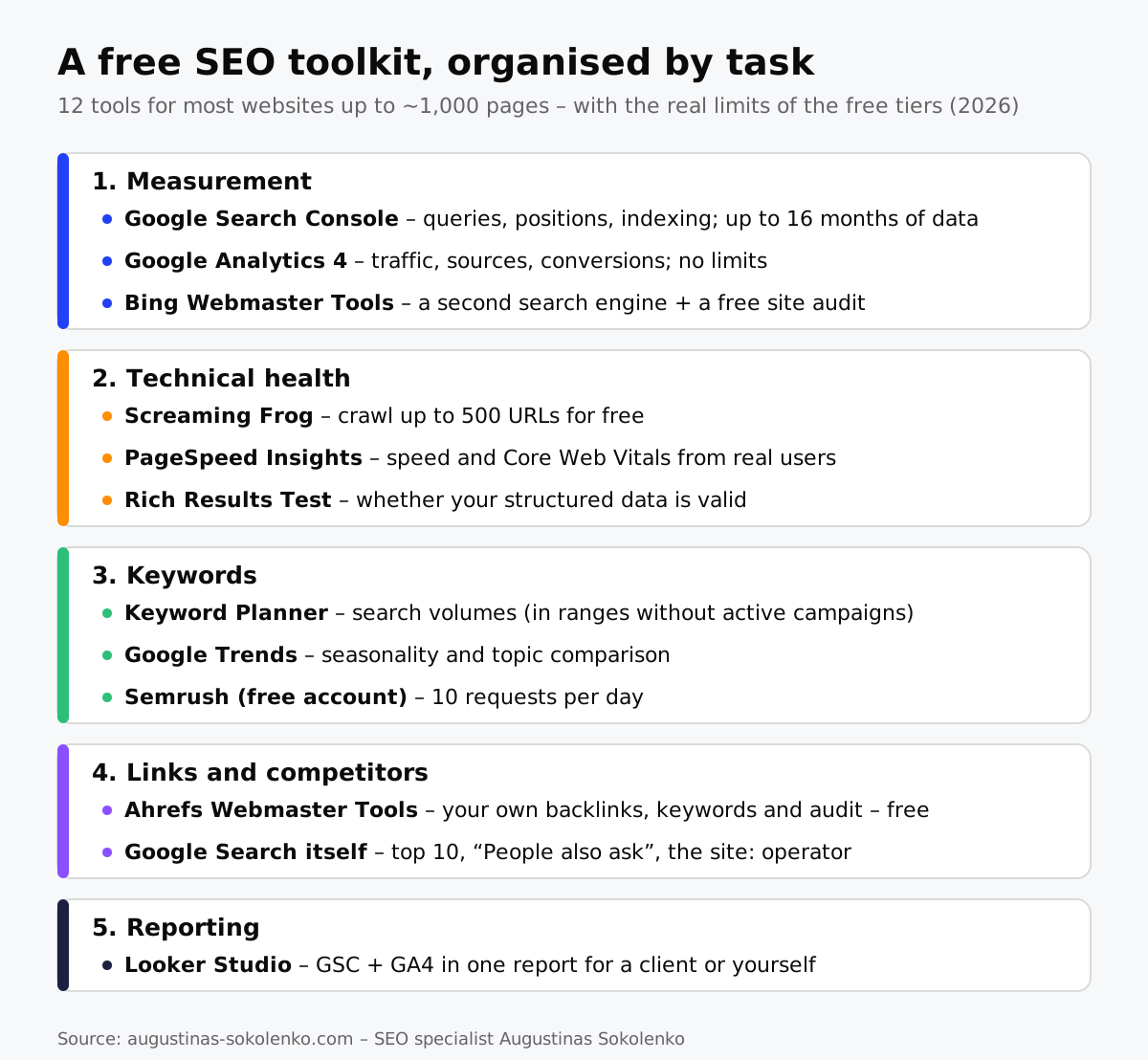
| Task | Tool | What you get for free | Limit |
|---|---|---|---|
| Measurement | Google Search Console | Queries, positions, impressions, indexing, links | Up to 16 months of history; 1,000 rows in the interface |
| Measurement | Google Analytics 4 | Traffic by source, behaviour, conversions | No limits for a normal site |
| Measurement | Bing Webmaster Tools | Bing queries, free site audit, keyword tool | No limits |
| Technical | Screaming Frog SEO Spider | Titles, meta, redirects, 404s, alt text for every page | 500 URLs; licence $279/year |
| Technical | PageSpeed Insights | Speed and Core Web Vitals from lab and real users | No limits |
| Technical | Rich Results Test | Whether structured data (schema) is valid | No limits |
| Keywords | Google Keyword Planner | Search volumes, ideas | Ranges (1K–10K) without active campaigns |
| Keywords | Google Trends | Seasonality, topic comparison, rising queries | Relative numbers, not absolute volumes |
| Keywords | Semrush (free account) | Keyword and domain overview, 100-page audit, 10 tracked positions | 10 requests per day |
| Links | Ahrefs Webmaster Tools | Your own backlinks, keywords, technical audit | Verified sites only; 5,000 crawl credits/month |
| Competitors | Google Search itself | Top 10, „People also ask”, site: and intitle: operators |
– |
| Reporting | Looker Studio | GSC and GA4 data in one report | No limits |
Measurement: where every SEO job starts
The first two tools, Google Search Console and Google Analytics 4, are mandatory: without them you do not know whether the work is producing results. Connect them on day one, because data is collected only from the moment of connection.
Google Search Console
Search Console shows what no paid tool shows: the real queries for which Google displayed your pages, clicks, impressions and average position. Three reports I check for every client every month: Performance (queries with many impressions but few clicks – a meta title job), Pages (what is not indexed and why) and Links (which sites link to you – how to assess them is covered in my article on what off-page SEO is).
A limit worth knowing: the interface shows up to 1,000 rows and history goes back 16 months. For a longer history you need to export the data or connect it through Looker Studio.
Google Analytics 4
GA4 answers the question of what visitors do once they arrive: which pages bring enquiries, how much organic traffic turns into orders. For SEO one report is enough: Traffic acquisition filtered to „Organic Search” with the conversions column. That is the report I use to show clients that, for example, bonnie.lt’s organic revenue grew 1,246 % in 12 months, rather than just „rankings improved”.
Bing Webmaster Tools
Bing brings only a few per cent of traffic in most markets, but its tool is worth connecting for another reason: a free site audit that finds technical errors much like paid tools do, and a one-click import from Search Console.
Technical health: finding errors without a paid audit
Two free tools are enough to find technical errors: Screaming Frog shows what is wrong in the page code, and PageSpeed Insights shows how fast pages load for real people.
Screaming Frog SEO Spider
A desktop program that crawls your site the way Googlebot does and puts every page’s title, meta description, H1, redirects, 404 errors, missing alt text and canonical URLs into a table. The free version crawls up to 500 URLs, which is plenty for a small online shop or a service website. The licence costs $279 a year and is needed only for sites of several thousand pages or more.
A practical tip: look at three filters first – „Response Codes → Client Error (4xx)”, „Page Titles → Duplicate” and „Images → Missing Alt Text”. These three usually make up half of the recommendations in an SEO audit.
PageSpeed Insights and Lighthouse
PageSpeed Insights shows two different things, and it matters to tell them apart: at the top, real-user data from Chrome (Core Web Vitals over the last 28 days); below it, a lab-based Lighthouse test. Google’s ranking uses the first; a lab score of 60 or 90 decides nothing by itself. If there is no real-user data (too little traffic), aim for LCP under 2.5 s and INP under 200 ms in the lab test.
Rich Results Test
If your site uses structured data (FAQ, products, reviews, articles), this Google tool tells you in seconds whether it is valid and whether the page is eligible for rich results. Worth checking after every theme or plugin update, because schema often breaks silently.
Keywords: how much you can learn for free
For free you can learn what people search for and when, but not exact volumes: Keyword Planner shows ranges without active campaigns, and Google Trends shows relative numbers. For most decisions that is enough.
Google Keyword Planner
A tool inside your Google Ads account. Without running campaigns, monthly volumes are shown as ranges („1K–10K”), which is enough to separate topics 50 people search for from those 5,000 people search for. Any active campaign, even with a €1 daily budget, unlocks exact numbers.
Google Trends
The only free tool that shows seasonality: when people search for „air conditioners” and when for „heat pumps”, whether a topic is growing or fading. The comparison feature (up to 5 queries) helps decide which synonym to use in a headline.
Semrush free account
A free Semrush account gives 10 requests a day in the keyword, domain and backlink tools, one project audit of up to 100 pages and position tracking for 10 keywords. Ten requests a day sounds small, but it is enough to check 2–3 competitors and a few keywords daily. Search volumes for smaller markets are more precise here than Keyword Planner’s ranges.
Google Search itself
The most free and often the most useful tool. Type in a keyword and you see who is in the top 10, which content format wins (article, category, video), and which questions appear under „People also ask”. The operator site:yoursite.com keyword shows whether you already have a page on the topic (protection against cannibalisation), and intitle:"keyword" shows how many competitors target it exactly.
Links and competitors: Ahrefs for free, for your own site
Ahrefs Webmaster Tools is the best free way to see your own site’s backlink profile, keywords and technical errors: it opens the same reports as paid Ahrefs, but only for sites you have verified.
After signing in through Search Console you get Site Explorer for your domain (up to 1,000 backlinks and 1,000 keywords at a time) and Site Audit with 5,000 crawl credits per month per project, checking over 170 issue types. This is where you see the DR of linking sites, anchor texts and which pages have the most referring domains. What is missing is competitor data: their backlinks and keywords are available only on paid plans. That is the main boundary between the free and the paid world.
Reporting: Looker Studio instead of slides
Looker Studio combines Search Console and GA4 data for free into one report that refreshes itself. A single template with clicks, impressions, positions and organic conversions by month replaces an hour of monthly slide preparation and lets a client check progress on any day.
When is free no longer enough?
Free tools are enough as long as you work only on your own site and it has up to a few hundred pages; you need a paid tool once at least one of three needs appears: analysis of competitors’ backlinks and keywords, daily tracking of hundreds of positions, or a site larger than 500 URLs.
The rule I apply: if you hit the Semrush daily limit more than 10 times in a month, or Screaming Frog stops at 500 URLs, a paid tool pays for itself in the first month – the time you spend working around limits costs more than the subscription. Until then, money is better spent on content and links than on tools. If you are unsure where you stand, that is one of the questions we can settle in a free 15-minute call.
How to set up a free SEO toolkit in an hour
The order matters, because some tools use others’ data: Search Console has to come first, and Ahrefs Webmaster Tools and Looker Studio connect through it.
- Google Search Console – verify the site via a DNS record (covers all subdomains and protocols), submit the sitemap. 15 min.
- Google Analytics 4 – install via Google Tag Manager or an SEO plugin, link it to Search Console. 15 min.
- Ahrefs Webmaster Tools – sign in with your Google account, import sites from Search Console, run the first audit. 10 min.
- Bing Webmaster Tools – import from Search Console with one click. 5 min.
- Screaming Frog – download, crawl the site, export the three filters from the section above. 15 min.
After an hour you will have what some agencies call a „technical audit” and sell for several hundred euros. The difference between data and an audit is interpretation: which of the 200 errors found to fix first, and which are not worth touching at all.
Frequently asked questions
Are free SEO tools enough for a small website?
Yes, for a site of up to a few hundred pages free tools cover all the core work: measurement, technical audit, keyword selection and monitoring your own links. The only things missing are competitor data and bulk rank tracking, which are not a first need for a new site.
Which free SEO tool is the most important?
Google Search Console. It is the only source that shows real Google queries, impressions and positions for your specific site, with no estimates. Every other tool, paid ones included, calculates its data approximately.
Does Ahrefs have a free version?
Yes – Ahrefs Webmaster Tools opens Site Explorer and Site Audit for free for sites whose ownership you have verified via Search Console or DNS. You cannot analyse competitors’ sites with it.
How much can you use Semrush for free?
A free account gives 10 requests a day in the keyword and domain tools, one project audit of up to 100 pages and position tracking for 10 keywords. The limit resets daily.
Is the free Screaming Frog different in features from the paid one?
The core features (crawling, titles, meta, redirects, 404s, alt text, XML sitemap generation) are in the free version too. The difference is the 500-URL cap and a few paid extras: crawl configuration, GA4 and Search Console integration, scheduled crawls.
Are AI tools such as ChatGPT suitable for SEO?
Suitable for content structure, FAQ ideas, meta description variants and report wording, but not for data: AI chat systems make up search volumes, positions and link counts. Take the data from Search Console or Ahrefs and use AI to process it.